

Learn what an AI prompt is, the five parts of a useful prompt, practical examples, follow-up techniques, and a reusable template for better results.
Prompting is not about learning secret commands. It is about telling the AI what job you need done.
If you type "write an email," the AI has to guess. Tell it who the email is for, what happened, how long it should be, and what you want the reader to do next. Now it has something useful to work with.
I do not have a computer science degree. I learned by prompting, building, breaking things, and trying again. Early on, I asked AI to build an entire DeFi app that could trade, stake, lend, and swap in one shot. It came back half-built. I blamed the tool at first, but the real problem was the prompt. I gave it a dream instead of one clear task.
That changed how I work. Ask for one useful result. Test it. Then add the next piece. I use the same rule for code, emails, research, planning, and almost everything else I do with AI.
Here is the simple way to write better prompts without turning prompting into a magic trick.
Quick answer
What is a prompt in AI?
A prompt is the instruction, question, example, or information you give an AI tool so it can respond. A useful prompt tells the AI what you want, gives the context it needs, shows what material to use, describes the output, and sets important limits. You do not need magic words. You need a clear task and enough detail for the AI to stop guessing.
New to terms like model, context window, or token? Keep the ACC glossary open while you read. If you still need to choose a first tool, start with the beginner AI tools guide.
Quick Start
What to do first
Name one task. Ask for one useful result instead of dumping a whole project into the chat.
Add the missing context. Tell the AI who the work is for, why it matters, and what information it should use.
Describe the output. Ask for a checklist, table, short email, step-by-step plan, or another format you can actually use.
Review the answer. Check facts, remove weak parts, and follow up instead of expecting perfection on the first try.
What counts as a prompt in ChatGPT, Claude, or Gemini?
When you type into ChatGPT, Claude, Gemini, or another AI assistant, everything you send is part of the prompt. That can be one question, a long instruction, a pasted document, an image, an example, or several follow-up messages.
The AI uses that material to produce a response. It does not automatically know your goal, audience, preferred tone, deadline, or definition of done. If those details matter, include them.
Think of the AI as a fast new assistant who missed the meeting. It can help, but you still have to explain the assignment. Clear direction beats fancy wording.
Prompt
What you give the AI, including instructions, questions, examples, files, and follow-up messages.
Response
What the AI gives back based on your prompt and the information available to it.
Prompting
The process of giving direction, reviewing the response, and improving the conversation until the result is useful.
The five parts I use in a useful AI prompt
You will not use all five parts every time. A quick definition can be one sentence. A client email, research brief, or project plan usually needs more detail.
Only add details that can change the answer. Long is not better. Clear is better.
| Part | What to include | Simple example |
|---|---|---|
| Task | The exact job you want done | Turn these meeting notes into action items |
| Context | The audience, goal, situation, or background | This is for a busy client who missed the call |
| Input | The notes, data, draft, image, or source material to use | Use only the notes pasted below |
| Output | The format, length, structure, and tone | Return a table with owner, task, and due date |
| Guardrails | Important limits, checks, and things to avoid | Do not invent missing deadlines. Mark them unknown |
A reusable template
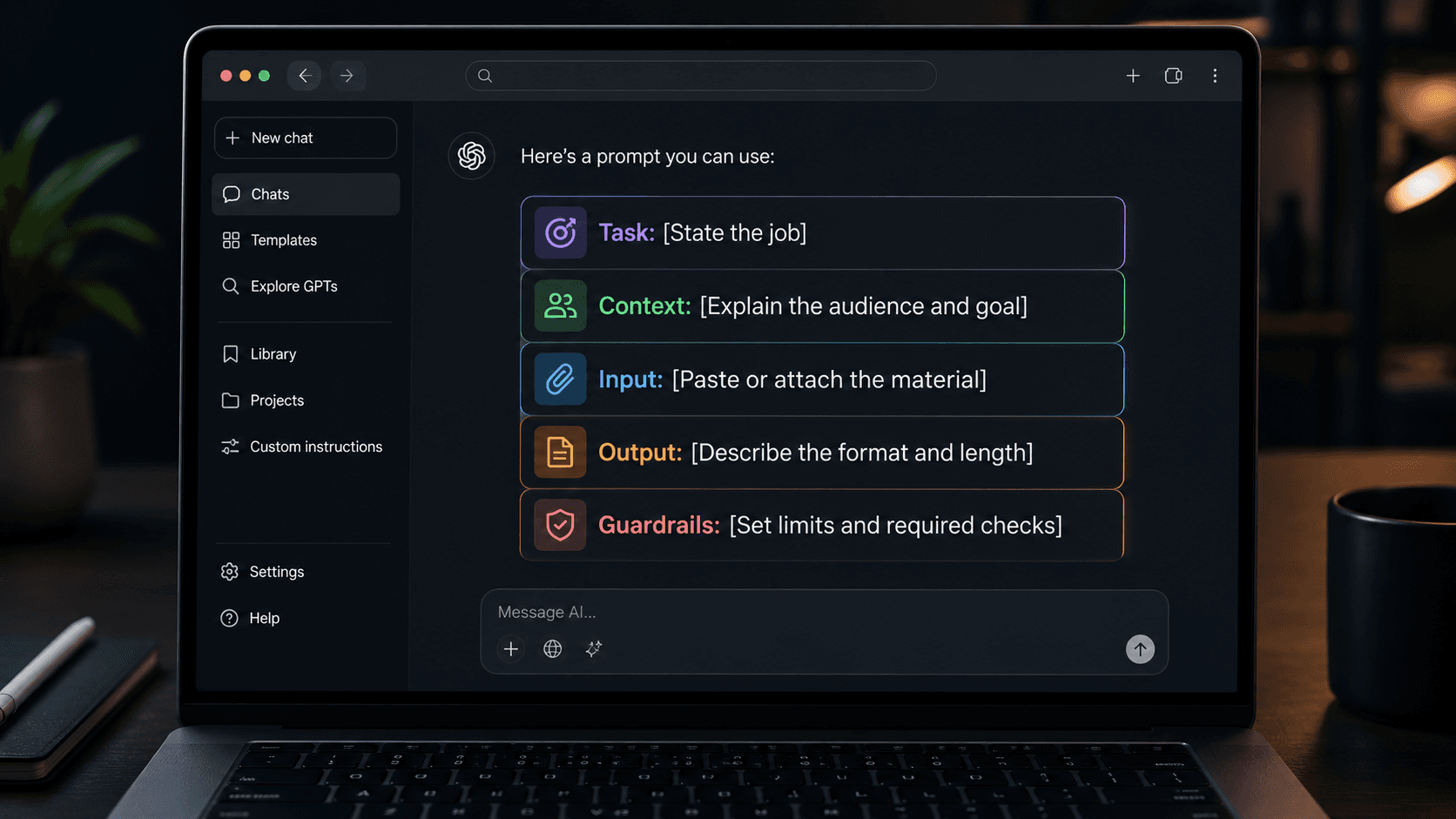
Task: [State the job] Context: [Explain the audience and goal] Input: [Paste or attach the material] Output: [Describe the format and length] Guardrails: [Set limits and required checks]
Quick tip: Let AI write the next prompt
A lot of people now use one AI to prompt another. Give ChatGPT your rough task and ask it to turn it into a stronger prompt for Claude, or ask Claude to improve a prompt for ChatGPT. I say it bluntly: "AI will always prompt better than you." Treat that as a shortcut, not a guarantee. Review the rewritten prompt before you use it.
Vague prompt vs better prompt: Four beginner examples
Most bad prompts leave an important choice up to the AI. "Write an email" does not say who it is for, what happened, or what the reader should do next.
You do not need a giant checklist before every chat. Add the few details that would make the answer meaningfully different.
| Vague prompt | Better prompt | What improved |
|---|---|---|
| Write an email | Write a friendly 120-word follow-up email to a client who missed our demo. Summarize the three decisions below and end by asking them to choose a meeting time | Audience, purpose, length, source material, and next action |
| Explain AI | Explain large language models to a curious beginner in under 200 words. Use one everyday analogy and define any technical term you keep | Reader level, length, teaching method, and jargon rule |
| Plan my week | Build a Monday-to-Friday plan from the task list below. Put deadline work first, keep each day under six hours, and mark anything that will not fit | Real input, capacity, priority rule, and honest tradeoffs |
| Build my app | Help me define version one of this app. Identify one user, one problem, one input, and one useful output. Do not suggest accounts, payments, or dashboards yet | Narrow scope and explicit exclusions |
Want more plain-English AI lessons?
Join the free ACC Network newsletter for practical AI updates without the hype.
Use examples when style or quality matters
If style matters, show the AI what you mean. Give it one or two examples, then point out what you want it to keep, such as the short sentences, layout, naming pattern, or level of detail.
This often works better than saying "make it better" or "make it sound human." Those instructions still make the AI guess.
Use examples you own or public references. Do not paste private work into an AI chat or ask it to copy someone else's writing.
Writing example
Paste a paragraph you wrote and ask the AI to keep the short sentences, plain language, and direct tone without copying the subject matter.
Data example
Show one correctly formatted row before asking the AI to clean or structure the rest of the data.
Project example
Show the finished output for one small task, then ask the AI to repeat the same structure for the next task.
Do not treat the first answer like the final answer
Do not start over when the first answer misses. Tell the AI exactly what is wrong and ask for one change.
Be specific. Say "cut this to 150 words," "explain that claim," or "show me what information is still missing." Each follow-up should move the work closer to done.
This is how I build now. One feature, one test, then the next instruction. In my own projects, smaller steps usually finish sooner because I catch bad assumptions before they spread.
Useful follow-up
This is too general. Rewrite it for a complete beginner and add one concrete example to each step.
Useful challenge
What assumptions did you make? List them before revising the plan.
Useful check
Separate verified facts from suggestions. Add a source link for every current factual claim.
Useful next step
Turn the approved outline into section one only. Stop after the first draft so I can review it.
AI can sound confident and still be wrong
A better prompt can improve the answer. It cannot make the answer true. AI can misunderstand you, use old information, or make up a detail that sounds real.
For medical, legal, financial, safety, hiring, or other high-stakes decisions, check qualified sources. Before you publish anything, verify quotes, statistics, names, dates, and links.
Do not paste passwords, API keys, customer data, private company files, or sensitive personal records into a public AI chat. Check the tool's privacy and data settings before using it for work.
Ask for uncertainty
Tell the AI to flag missing information and say when it is unsure instead of filling gaps.
Ask for sources
For current claims, request links and then open the original sources yourself.
Keep final judgment
Use AI to move faster, but keep the final decision with a person who is responsible for the result.
A five-minute prompt practice
Use this on something real today. Pick one email, summary, plan, or research task. Write a prompt with the five parts, run it, then improve the answer with two follow-ups.
If the final version saves you time, save the prompt. If it does not, do not add it to a prompt library.
Build your library from prompts that worked, not prompts that looked impressive.
Practice task
Turn messy notes into a clear email, checklist, study guide, comparison table, or one-page plan.
Success test
The output should be useful enough to edit and finish, not merely impressive enough to read once.
Next lesson
Once you can prompt one task clearly, use the same skill to build a small AI side project.
FAQ
What is a prompt in AI?
A prompt is any instruction, question, example, file, image, or other information you give an AI system to guide its response.
How long should an AI prompt be?
As long as needed to remove important guesswork, and no longer. A simple question may need one sentence. A complex task may need context, source material, an output format, examples, and guardrails.
Do I need to be polite to AI?
Politeness is optional, but clear language helps. Please and thank you do not replace a specific task, useful context, or an output format.
What is prompt engineering?
Prompt engineering is the practice of designing and testing instructions that help an AI system complete a task reliably. Beginners do not need a special title. Start by making the task, context, input, output, and limits clear.
Why does AI ignore part of my prompt?
The prompt may contain competing instructions, too many tasks, buried requirements, or more material than the model can handle well. Split the work into smaller steps, put critical rules near the task, and ask the AI to confirm the requirements before starting.
Can one prompt work in ChatGPT, Claude, and Gemini?
Usually, yes. Clear task instructions transfer well across major AI assistants, but each tool may handle files, web research, images, formatting, and long context differently. Test important prompts in the tool you plan to use.
What are examples of good AI prompts?
A good prompt names the task and adds the details that change the answer. Instead of "write an email," try: "Write a friendly 120-word follow-up email to a client who missed our demo. Summarize the three decisions below and ask them to choose a meeting time."
Should I ask AI to provide sources?
Yes, especially for current or factual claims. Ask for links, then open the original sources and verify the information yourself. A source list helps, but it does not guarantee the AI read or represented every source correctly.
Can AI help me write a better prompt?
Yes. Give the AI your rough request and ask it to rewrite the prompt so the task, context, source material, output format, and limits are clear. You can also ask ChatGPT to write a prompt for Claude, or ask Claude to improve one for ChatGPT. Tell it to ask questions first when important information is missing.
Where to go next
Keep the momentum going with the daily brief, the full blog archive, the glossary, and the story behind ACC Network.